-
Free shipping from $39.
We offer free shipping for all orders with a value of $39 or more.
-
Same day shipping.
Not satisfied? You can return your products within 30 days.
-
3 year warranty. Read more.
Safescan products come with a 3 year warranty
-
American support.
Your trusted cash handling expert for more than 20 years.
Special Sale! Use the code BILL10 for 10% off all bill counters
4.8  468 Google-reviews
468 Google-reviews
Email us: Contact Form and call us: 1-844-386-1192
Safescan 2985-SC & 2995-SC - Cleaning Instructions
-
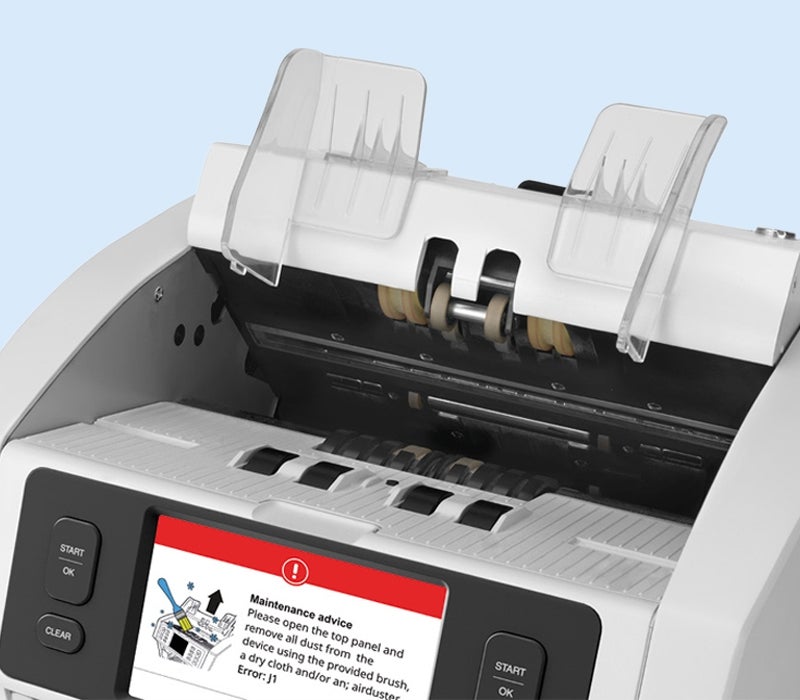
Ensure the best results! In order for your device to deliver the best performance, it is important that you regularly clean it.
1. Switch off the device and remove the power cable.
2. Open the top panel by pulling the lever on the top of the device.
3. Next remove the back panel by gently pulling it out. Please note that you can only remove the back panel (and put it back) when the top one is open.
4. Use the inclused brush or a soft lint-free cloth to gently clean the sensors and wheels that you can reach.
5. Additionally you can use an air-duster spray to remove dirt and dust from spots that are hard to reach.
6. Once you have cleaned the device, put back the back panel en close the top one.
7. You can now plug in the power cable, switch on the device, and start counting.
We advise you to clean your device every month. It will periodically display a message so you know when it is time to clean it.
View all Safescan 2985-SC and Safescan 2995-SC articles
-